On this page
- What intelligent business process automation actually means in practice
- The stack behind IBPA: orchestration, AI, APIs, bots and observability
- IBPA vs RPA vs AI agents: the differences that matter before you buy
- Where intelligent process automation works best
- Insurance, healthcare and financial services have strong use cases, but the guardrails are different
- Where IBPA breaks down: exception-heavy work, bad source systems and fuzzy decisions
- How to measure ROI without hand-waving
- The safest rollout model is human-in-the-loop first, autonomy later
- Start with one workflow that your team can actually own
- Map your process with TeamSync before you automate it
McKinsey’s global AI surveys tell a pretty clear story: regular generative AI use jumped to 65 percent of organizations in early 2024 and then to 71 percent in March 2025. At the same time, Deloitte found that only 5 percent of respondents had scaled 70 percent or more of their gen AI pilots by late 2024 and 69 percent expected it would take at least a year to put a comprehensive governance strategy in place. That gap is why intelligent business process automation gets so much attention. The promised upside is real: better efficiency, lower operating costs, higher accuracy, more scalable operations, and a smoother customer experience. The weak spot is not enthusiasm. It is picking the right work and proving ROI without wishful math.
NIST’s generative AI profile, released on July 26, 2024, frames enterprise AI risk around governance, content provenance, pre-deployment testing and incident disclosure. That fits what we see in the field. Teams do not usually fail because the model is too weak. They fail because the workflow has unclear ownership, poor source data, or no agreement on when a human needs to step in. Meanwhile, workflow vendors are moving fast. Microsoft’s April 10, 2026 Copilot Studio release added agent nodes and workflows-as-tools and Microsoft’s current release notes now emphasize test sets, unified activity views and ROI tracking for production agents. IBPA sits right in the middle of that broader digital transformation and hyperautomation push: it is the layer where AI meets actual work.
What intelligent business process automation actually means in practice
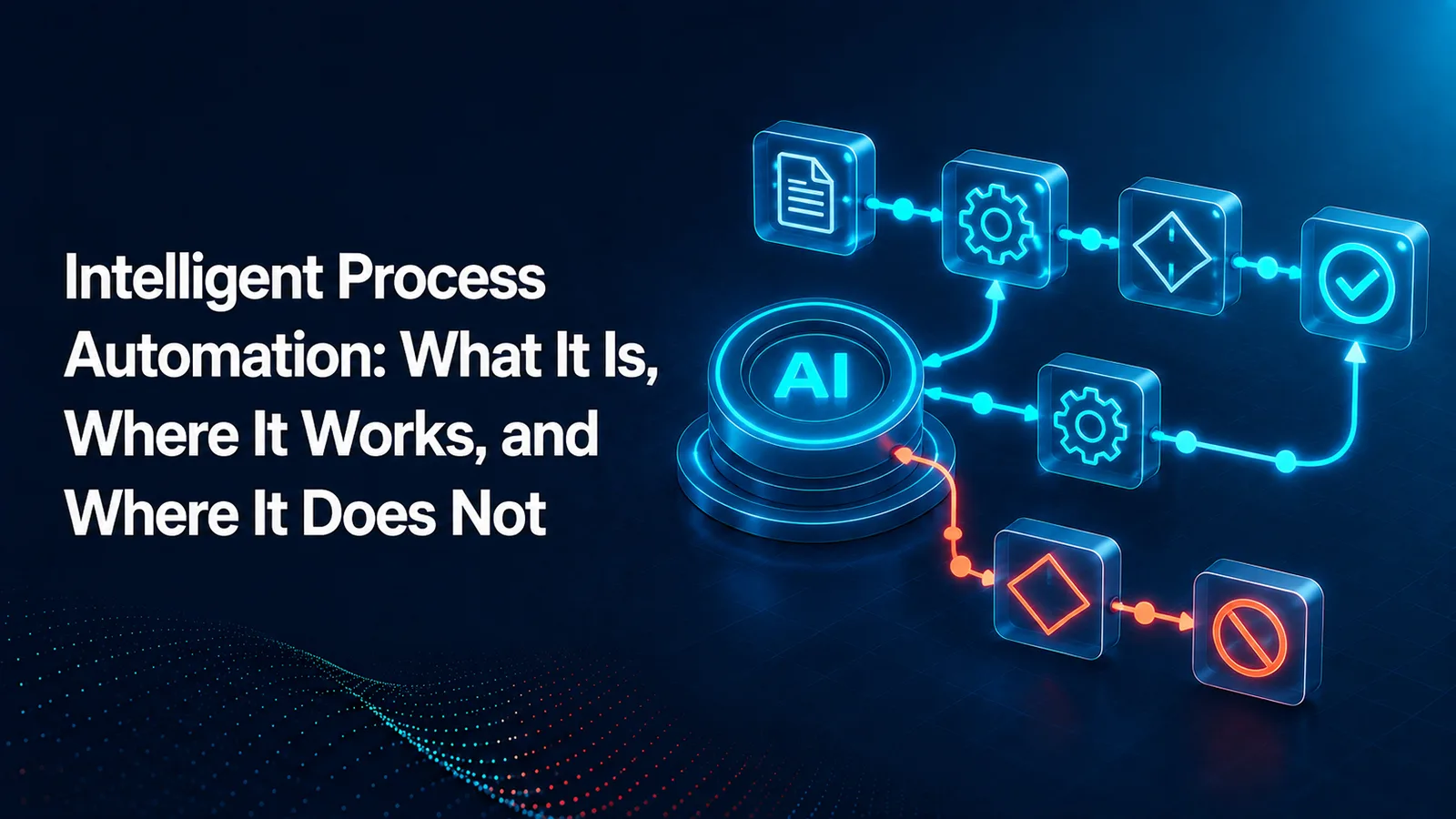
Intelligent business process automation is AI plus workflow automation. In practice, that usually means a workflow or BPM layer to control the process, integrations to move data between systems, AI to classify or extract from messy inputs, and sometimes RPA when a legacy screen is the only way in. It is not just a chatbot, and it is not just robotic clicks. A real IBPA flow moves work from intake to decision to action: an email arrives with a PDF, the system classifies the request, pulls out fields, checks a policy or account record, routes an exception to a person and then writes the result back into the system of record.
That matters because most business work is only partly structured. ERP fields and claim numbers are easy. Emails, referral notes, scanned forms, contracts, messages, and mixed-format PDFs are where automation used to stop. Intelligent document processing expands coverage by turning unstructured content into usable process data. Once that happens, automation can span connected systems instead of dying at the edge of a document inbox.
The stack behind IBPA: orchestration, AI, APIs, bots and observability
A modern IBPA stack works best when orchestration sits at the center. We think of it as a control tower: the workflow engine owns the steps, deadlines, branching logic, approvals and handoffs. Around that core sit event triggers, APIs, document understanding, prediction models, LLM-based summarization, and monitoring. Process mining helps teams discover what actually happens in the wild by reconstructing flows from event logs. IDP extracts from documents. ML and NLP handle classification, prediction, and routing. LLMs help with summarization, drafting and context synthesis. RPA is still useful, but mostly when APIs are unavailable or incomplete. Observability closes the loop with logs, metrics, version history, and audit trails. That is the architecture we keep returning to in our own workflow automation and platform architecture conversations.
APIs usually beat UI bots when you have the choice because they are faster, more governed and less brittle. UI automation still has a place for desktop apps and older web systems, but even Microsoft’s own troubleshooting docs show how often UI actions fail when a window or UI element changes. That is why we treat bots as a last-mile adapter, not the default backbone. Agentic AI belongs in the judgment layer, not as the owner of the whole process. Let the workflow enforce policy and let the model handle ambiguity inside bounded steps. That is hyperautomation with adult supervision.
IBPA vs RPA vs AI agents: the differences that matter before you buy
Traditional automation follows fixed rules. RPA automates user interface actions. IBPA adds intelligence so the process can read documents, classify requests, predict next best actions, and work across systems. Generative AI workflows usually use a model for one task inside a larger deterministic sequence, such as summarizing a contract before routing it for review. The new wave of AI agent workflow automation goes a step further: the model can choose tools or next steps within guardrails. When buyers ask what AI agent workflow automation is, the plain answer is this: a system where an AI agent can plan part of the work, call approved tools and then return control to the workflow.
The AI agent vs AI workflow debate gets simpler if you separate judgment from control. A workflow that routes invoices is deterministic. An agent that gathers missing supplier information can reason across email, policy text and ERP data before handing the case back. The AI workflow vs. AI agent question is really about who gets to choose the next action. For most business processes, orchestration comes first, and agent behavior comes second. Microsoft now says the same thing directly: agents bring reasoning and adaptability, while workflows bring structure and consistency.
Practitioners describe the split in very practical terms. In a Reddit thread, one commenter argued that RPA still matters because it stays inside transparent, signed-off business rules, while another said the relationship is not “versus” but “plus” because agents need vetted tools and automations to do useful work. That matches our experience. A model can decide, but a governed process has to record, route, and complete the transaction.
Where intelligent process automation works best
These are the intelligent process automation examples and intelligent process automation use cases we see most often, especially in intelligent process automation in insurance, intelligent process automation in healthcare, and the category buyers often call intelligent process automation financial services.
Accounts payable invoice intake: High volume, repeatable handoffs and measurable cycle time make AP a classic fit. The sweet spot is invoice capture, PO matching support, coding suggestions and exception routing, not fully autonomous payment decisions.
Claims intake: First notice of loss and early document collection work well because the steps are consistent even when the documents are messy. AI can classify submissions and prep the file while adjusters keep authority over coverage and settlement calls.
Prior authorization support: Prior auth is document-heavy and deadline-driven. AI helps assemble packets, classify clinical documents and route missing items, while clinicians and utilization teams keep decision authority.
Employee onboarding: Lower risk, clear owners and stable checklists make onboarding a strong first pilot. AI can read forms, personalize welcome materials, and chase missing documents without touching judgment-heavy decisions.
Customer service triage: Triage works when the objective is to tag, summarize, and route rather than resolve every case end to end. That improves response times without giving the model open-ended authority over refunds or policy exceptions.
Contract review intake: Intake is often a better target than full legal review. AI can identify document type, extract dates and obligations, and send the file to the right reviewer.
KYC document collection: In banking and wealth workflows, KYC packets are repetitive, document-heavy and easy to measure. AI can collect, classify and flag missing items while operations teams own approval and escalation.
IT service request routing: Tickets, screenshots, and emails are messy enough to need AI but structured enough to automate once classified. Routing, enrichment and SLA tracking are usually a better first target than autonomous remediation.
The same pattern shows up in manufacturing and supply chain. Quality document routing, supplier packet intake and exception triage tend to work well when the handoffs are clear, and the process touches both structured system data and unstructured documents.
Insurance, healthcare and financial services have strong use cases, but the guardrails are different
In insurance, we like FNOL, claims document intake, policy servicing and fraud review support as early targets. The reason is simple: lots of repetitive document movement with clear checkpoints for human approval. NAIC says its 2025 survey found 84 percent of health insurers already use AI or ML in some capacity and the NAIC model bulletin adopted in December 2023 makes it clear that insurers still need governance, transparency and compliance with existing insurance laws. That makes intelligent process automation in insurance less about replacing adjusters and more about giving them a cleaner file faster. Our insurance teams usually care most about chain of custody, policy-version visibility and auditability.
Healthcare has equally strong use cases, but the line is tighter. Referral intake, prior auth packet assembly, revenue cycle document classification and patient message routing are all viable. Autonomous clinical decisions are not where we start. HHS’s 2025 AI Strategic Plan says AI in health and human services needs appropriate human oversight and should support and inform work rather than become the sole answer. FDA’s January 2026 clinical decision support guidance also draws a clear line around software that supports professionals versus software that directs or replaces their judgment. For intelligent process automation in healthcare, that means strong HIPAA controls, minimum necessary data access, and humans in the decision loop.
Financial services sits in a similar place. KYC onboarding, loan document prep, disputes, servicing and exception queue triage are strong fits because they generate huge audit needs and huge document volumes at the same time. The Federal Reserve, OCC and FDIC updated model risk guidance on April 17, 2026 and emphasized a risk-based approach tailored to model use and materiality. The attachment also says generative and agentic AI are outside that guidance’s formal scope, which is a useful warning by itself: banks still have to define the governance and controls. So when someone searches intelligent process automation financial services, the right answer is usually not “full autonomy.” It is “faster prep, tighter logs and better supervised decisions.” Our finance and banking work tends to start there.
Where IBPA breaks down: exception-heavy work, bad source systems and fuzzy decisions
IBPA struggles when the process changes every week, the master data is unreliable, ownership is split across too many teams, or the answer itself is subjective. It also struggles when five different channels feed the same queue with no common intake model, or when a legacy interface changes often enough to break UI automation every month. We keep seeing teams mistake pain for suitability. A painful process is not automatically a good automation target. Sometimes it is just a broken process that needs redesign first.
LLM-driven steps add their own failure modes. NIST’s generative AI profile calls out prompt injection, data poisoning, unauthorized access, model extraction and data leakage as real enterprise risks. It also recommends human oversight roles, security testing, version history, and incident documentation. In plain English, that means agentic patterns are unsafe when a model can improvise inside legally sensitive decisions with no fallback path. That is also why pilots stall after the demo phase: the prototype can classify and summarize, but nobody has agreed on confidence thresholds, exception ownership, or what happens when the model is wrong.
How to measure ROI without hand-waving
A useful ROI model starts with baseline labor hours, rework cost, exception-handling cost, cycle-time reduction, quality gains, and the full software plus implementation bill. We use this simple structure: annual value = labor savings + avoided rework + avoided SLA penalties + throughput gains - operating cost. Then calculate payback period as implementation cost divided by monthly net value. If a process runs 60,000 times a year and automation removes four minutes from 70 percent of cases, that is 2,800 hours back before you count rework or faster throughput. If exception handling stays high, the value collapses fast.
This is where range-based planning is healthier than one magic number. Build a conservative case, an expected case, and an upside case. IBM’s 2025 agentic AI guide says only 25 percent of AI initiatives had delivered expected ROI and only 16 percent had scaled enterprise-wide. That does not mean the value is fake. It means value depends heavily on adoption, exception design, and orchestration across the workflow rather than task automation in isolation.
The safest rollout model is human-in-the-loop first, autonomy later
The safest rollout starts with assistive AI, moves to supervised automation and only then allows limited autonomy in low-risk steps. High-risk actions need human approval. Medium-risk actions need confidence thresholds and fallback paths. Sensitive data needs prompt isolation, tool whitelisting, role-based access and retrieval confined to approved sources. Models need monitoring for drift, error rates and policy violations. Systems need audit trails, version history, red-team testing and an incident response path when outputs go sideways. NIST’s AI RMF and GenAI profile point to the same core ideas and ISO/IEC 42001 gives enterprises a formal management-system approach for putting those controls into policy. Microsoft’s AI approvals guidance is also useful because it bakes AI stages and human stages into the same production flow.
That approach also makes the workforce impact more honest. Most operational teams do not need replacement. They need relief from repetitive prep work so they can handle exceptions, customer communication, and final judgment. We see the best results when supervisors stay close to the first rollout, review the model’s misses and tighten the workflow before anyone talks about autonomy. If you want a shorthand, think agentic AI workflow with bounded autonomy and a compliance audit trail, not an unsupervised digital employee.
Start with one workflow that your team can actually own
IBPA works when the process is stable enough to automate, valuable enough to matter and governed well enough to trust. Teams do not need full agent autonomy to get real results. In fact, they usually get better results without it. The question our customers ask most is not which model is smartest. It is which workflow they can own, measure, and improve without creating new risk. That is the right question. It puts intelligent business process automation inside the larger modernization program where it belongs: as a practical tool for augmenting people and cleaning up cross-functional work.
Map your process with TeamSync before you automate it
Use TeamSync to map one real process, score its automation readiness, and see whether intelligent business process automation is a smart fit before you invest in tools or vendors. We can help your team document the workflow, align owners, centralize handoffs, and score readiness before you choose intelligent process automation services or intelligent process automation companies. If you want a practical starting point, get in touch.