On this page
- Why document-heavy workflows are being redesigned now
- What Is Document Process Automation?
- Document Process Automation vs Robotic Process Automation (RPA)
- Where Document Process Automation Fits in the Enterprise Stack
- The Document Processing Pipeline: From Intake to Archive
- Stage 1: Document Scanning and Digital Capture
- Stage 2: OCR, Data Extraction, and Classification
- Stage 3: Metadata Tagging and Indexing
- Stage 4: Automated Routing and Workflow Assignment
- Stage 5: Review, Approval, and Compliance Validation
- Stage 6: Secure Archival and Retention Management
- Where manual document workflows break down
- Why using one platform matters more than adding more tools
- Document Process Automation Software: Key Capabilities to Evaluate
- Measuring ROI: Before and After Document Process Automation
- How to start without overcomplicating implementation
- Turning scanned files into actionable workflows
- See how one collaborative platform can simplify document approvals
Why document-heavy workflows are being redesigned now
Businesses may feel more digital than ever, but document-heavy work is still growing, not shrinking. IDC has long projected that global data creation would reach 175 zettabytes by 2025, with a large share of enterprise information remaining unstructured. McKinsey has also found that administrative and back-office work contains substantial automation potential, especially when organizations redesign workflows instead of simply digitizing existing handoffs, and its more recent research on AI productivity argues that the biggest gains come from rethinking full workflows, not just isolated tasks (McKinsey on workflow redesign, McKinsey Global Institute on AI and workflows). In practical terms, that means scanning a file is only the beginning if review, routing, and approval still happen across inboxes, chat threads, shared drives, and disconnected apps.
That shift has accelerated in 2025 and 2026 as major platforms push AI deeper into document understanding and workflow tooling. AWS has expanded intelligent document processing patterns with generative AI, human review, and business rule validation in production-oriented architectures, while Adobe has introduced new AI-powered document workspaces and agentic experiences inside Acrobat for understanding, sharing, and acting on files (AWS on intelligent document processing, Adobe announcement). The trend is clear: companies no longer want a scanner at one end and a bottleneck at the other. They want one governed workflow from intake to approval.
What Is Document Process Automation?
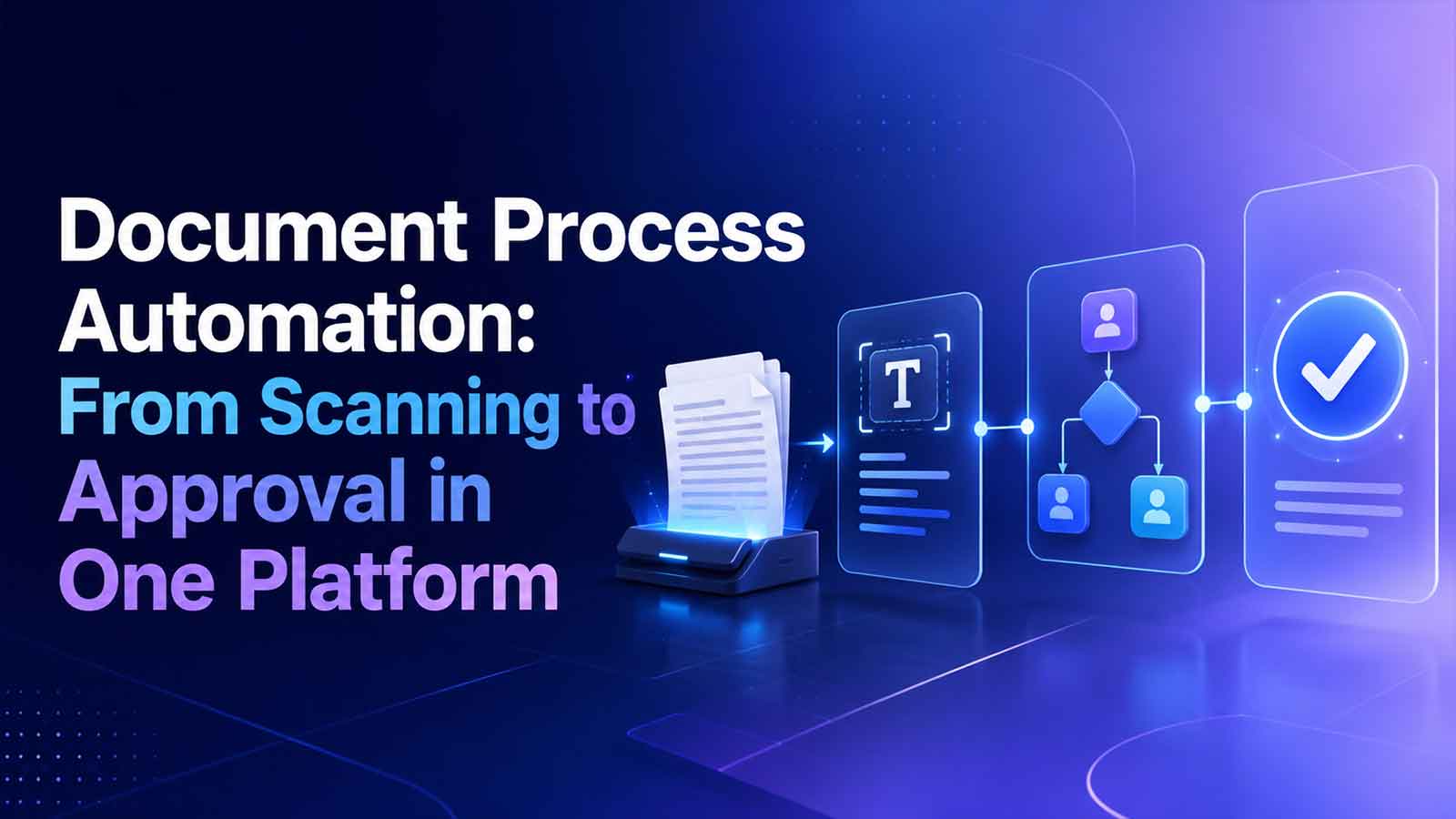
Document process automation is the practice of automating the full lifecycle of a business document, not just turning paper into PDFs. A complete document process automation flow can include intake, OCR, data extraction, metadata tagging, validation, routing, review, approval, storage, and retention. In other words, document processing automation is about making documents operational, searchable, and governable.
Document process automation is about much more than converting paper into digital files. It automates the entire document lifecycle, from intake and review to approvals, storage, and retention, while making every document searchable, actionable, and connected to real business workflows. With TeamSync, organizations can centralize all their documents in one place, collaborate on updates, add business context, and keep knowledge organized instead of scattered across folders. Teams can also use the DocuTalk feature to ask questions about their documents and retrieve information instantly, making documents not just stored, but truly accessible and useful across the organization.
Document Process Automation vs Robotic Process Automation (RPA)
Document Process Automation (DPA) | Robotic Process Automation (RPA) |
Automates the complete document lifecycle, from capture and classification to review, approvals, storage, and compliance. | Automates repetitive, rule-based tasks by mimicking human actions across software applications. |
Focuses on document-centric workflows and collaboration. | Focuses on task automation between systems and applications. |
Includes document intelligence such as OCR, metadata extraction, version control, approval routing, and audit trails. | Typically copies data, clicks buttons, enters information, and moves data between systems. |
Ensures governance, compliance, security, and document traceability. | Typically copies data, clicks buttons, enters information, and moves data between systems. |
Best suited for contracts, invoices, HR files, policies, compliance documents, and other business records. | Best suited for repetitive back-office processes such as data entry, report generation, and system updates. |
Document Process Automation manages the entire document journey, while RPA automates the individual tasks surrounding that journey. Together, they create an end-to-end automated process where documents move through controlled workflows, and RPA handles any remaining manual interactions with legacy systems.
Where Document Process Automation Fits in the Enterprise Stack
In most organizations, document process automation sits between intake channels and systems of record. It connects scanners, email inboxes, forms, cloud storage, ERP, CRM, HRIS, e-signature tools, and long-term repositories. Its value comes from coordinating document work across systems while preserving visibility, ownership, permissions, and auditability.
This is where an all-in-one environment becomes especially useful. A platform like TeamSync can centralize collaboration and workflow state so teams are not forced to manage files in one place, comments in another, and approvals somewhere else.
The Document Processing Pipeline: From Intake to Archive
The easiest way to understand document process automation is to follow the pipeline from arrival to retention. Each stage removes a manual handoff and replaces it with a more predictable, governed step.
Stage 1: Document Scanning and Digital Capture
Documents can enter through scanners, multifunction devices, mobile uploads, watched folders, email attachments, portals, or web forms. Document scanning workflow automation starts by standardizing those intake paths so people are not manually renaming, sorting, and forwarding files all day. A cleaner document scanning workflow also improves downstream OCR and extraction accuracy, because poor capture quality creates avoidable exceptions later.
Stage 2: OCR, Data Extraction, and Classification
OCR converts scanned images and PDFs into machine-readable text. From there, AI- or template-based extraction can pull fields like invoice numbers, employee IDs, borrower income figures, dates, and totals. Classification identifies the document type and determines which workflow path it should follow. This is where document scanning workflow automation creates real speed, because the system can understand what arrived without waiting for a person to inspect every file.
Stage 3: Metadata Tagging and Indexing
Once data is extracted, it becomes metadata. That metadata supports indexing, search, retrieval, policy enforcement, and reporting. A contract might be tagged by counterparty, effective date, and approval status. An HR packet might be tagged by location, employee type, and completion state. Structured tagging matters because it turns files into governed records, not just attachments sitting in a folder.
Stage 4: Automated Routing and Workflow Assignment
Routing uses business rules, document type, thresholds, and team ownership to assign work automatically. An invoice above a certain amount can go to finance leadership, a new hire packet can route by office location, and a vendor agreement can move to legal based on contract type. This is the point where document process automation software replaces inbox forwarding, spreadsheet trackers, and manual task assignment with a visible workflow engine, such as TeamSync workflow automation.
Stage 5: Review, Approval, and Compliance Validation
Review is rarely a single click. Teams often need comments, version control, exception handling, and either sequential or parallel approvals. Policy checks can verify that required fields, supporting documents, and compliance steps are complete before final approval. Keeping this activity inside one environment reduces delays, confusion, and compliance risk, especially when approval evidence is tied to a tamper-evident history through tools like TeamSync’s compliance and audit trail capabilities.
Stage 6: Secure Archival and Retention Management
The last step in automation document processing is not simply saving a file. It is preserving that file in a way that supports search, legal hold, retention schedules, and secure disposal. A governed repository such as TeamSync’s intelligent repository helps ensure that approved documents remain retrievable and policy-aligned over time.
Where manual document workflows break down
Without end-to-end orchestration, the same failures repeat across teams. Documents get entered twice, attachments go missing, ownership becomes unclear, versions drift, and approvals stall in personal inboxes. These breakdowns show up in invoices, contracts, onboarding packets, policy acknowledgments, and service intake. The underlying issue is not just paper; it is fragmented process control.
Why using one platform matters more than adding more tools
A fragmented toolchain may seem flexible, but it often creates disconnected workflows. Documents end up scattered across email, shared drives, chat apps, and approval tools, making it difficult to track ownership, collaboration, and progress. A single platform brings every stage of the document lifecycle together, improving visibility, accountability, and efficiency.
Why one platform works better than multiple tools:
Centralized document management
Store, access, and manage all documents in one place.
Unified collaboration
Keep comments, tasks, and discussions linked directly to the document.
Automated workflows
Route documents for review and approval without switching between tools.
Real-time visibility
Track document status, ownership, and bottlenecks from a single dashboard.
Stronger governance
Maintain version control, audit trails, permissions, and compliance in one system.
Higher productivity
Reduce app switching, duplicate work, and communication gaps by keeping the entire process in one platform.
This is the practical advantage of an all-in-one solution like TeamSync; it replaces fragmented document processes with a single, connected workflow from intake to approval and archival.
Document Process Automation Software: Key Capabilities to Evaluate
When evaluating document process automation software, buyers should look for:
OCR and Intelligent Data Extraction
Automatically captures text and key information from scanned documents, PDFs, and images. This reduces manual data entry while improving speed and accuracy.
AI-Powered Document Classification
Uses artificial intelligence to identify document types and route them to the correct workflow. This eliminates manual sorting and accelerates processing.
Rules Engine
Enables organizations to define business rules for routing, approvals, notifications, and validations. This ensures workflows remain consistent and compliant.
Document Templates
Standardizes recurring documents with pre-approved formats and fields. This improves consistency while reducing preparation time.
Mobile Document Capture
Lets users scan and upload documents directly from smartphones or tablets. This supports remote teams and speeds up field operations.
SLA Alerts and Notifications
Sends automated reminders and escalation alerts when documents approach or exceed service-level deadlines. This helps prevent delays and missed commitments.
Integrations and API Support
Connects seamlessly with ERP, CRM, HRMS, cloud storage, e-signature tools, and other business applications. Strong integration capabilities ensure documents flow smoothly across your technology ecosystem.
The best document process automation software should combine robust governance, security, and compliance features with an intuitive user experience that makes everyday collaboration fast and effortless.
The right platform should support both operational control and day-to-day team collaboration, not force a tradeoff between the two.
Measuring ROI: Before and After Document Process Automation
A simple way to measure impact is to benchmark the manual process first, then compare it after automation.
Metric | Before automation | After automation goal |
Document Cycle Time | Slow, inconsistent, and dependent on manual follow-ups | Faster, standardized, and more predictable |
Manual Touchpoints | Multiple handoffs, emails, and repetitive data entry | Significantly fewer manual interventions through automated workflows |
Error & Rework Rate | Frequent mistakes, missing information, and duplicate work | Reduced errors through validation rules and automated routing |
Backlog Volume | Difficult to monitor and prone to growing unnoticed | Real-time visibility with easier workload management and prioritization |
Approval Speed | Delayed by inbox overload and manual reminders | Automated, rule-based approvals with reminders and escalation paths |
Document Retrieval Time | Time-consuming folder searches and version confusion | Instant retrieval using metadata, filters, and centralized storage |
How to start without overcomplicating implementation
The most successful document process automation initiatives begin with a single, high-volume workflow that creates the most operational friction, such as invoice approvals, contract reviews, or employee onboarding. Start by mapping the existing process, identifying bottlenecks, defining approval paths and business rules, and documenting exception scenarios. Establish clear governance policies around access, retention, and compliance, then train end users before expanding to additional workflows. Taking a phased approach allows teams to refine processes, demonstrate measurable results, and build confidence before scaling automation across the organization.
Turning scanned files into actionable workflows
Document process automation delivers value when it transforms documents into structured, trackable workflows. Instead of simply digitizing paper, it connects capture, AI-powered classification, routing, collaboration, approvals, and secure storage into a single governed process. The result is faster decisions, fewer manual tasks, stronger compliance, and complete visibility from document creation to final archival.
See how one collaborative platform can simplify document approvals
Explore how TeamSync can bring document capture, collaboration, workflow routing, approvals, and secure retention into one platform, then request a demo or product walkthrough to see how document process automation could work for your team.